Why blogging works for insurance agents
As an independent insurance agent, your expertise is your greatest asset. Blogging is a powerful way to share that expertise, establish yourself as a trusted advisor, and attract new clients. Every blog post you publish becomes a valuable resource for potential clients searching for answers online. It’s an opportunity to educate, inform, and build credibility, all while driving traffic directly to your storefront website.
Think of each post as a signpost on the internet, pointing people directly to your business. When someone searches for "health insurance options in [your city]" or "what does Medicare cover for dental," a helpful blog post from you can be the first thing they find. This organic discovery brings motivated individuals to your site, where they can learn more about your services, get a quote, or contact you directly.
How the blog system works
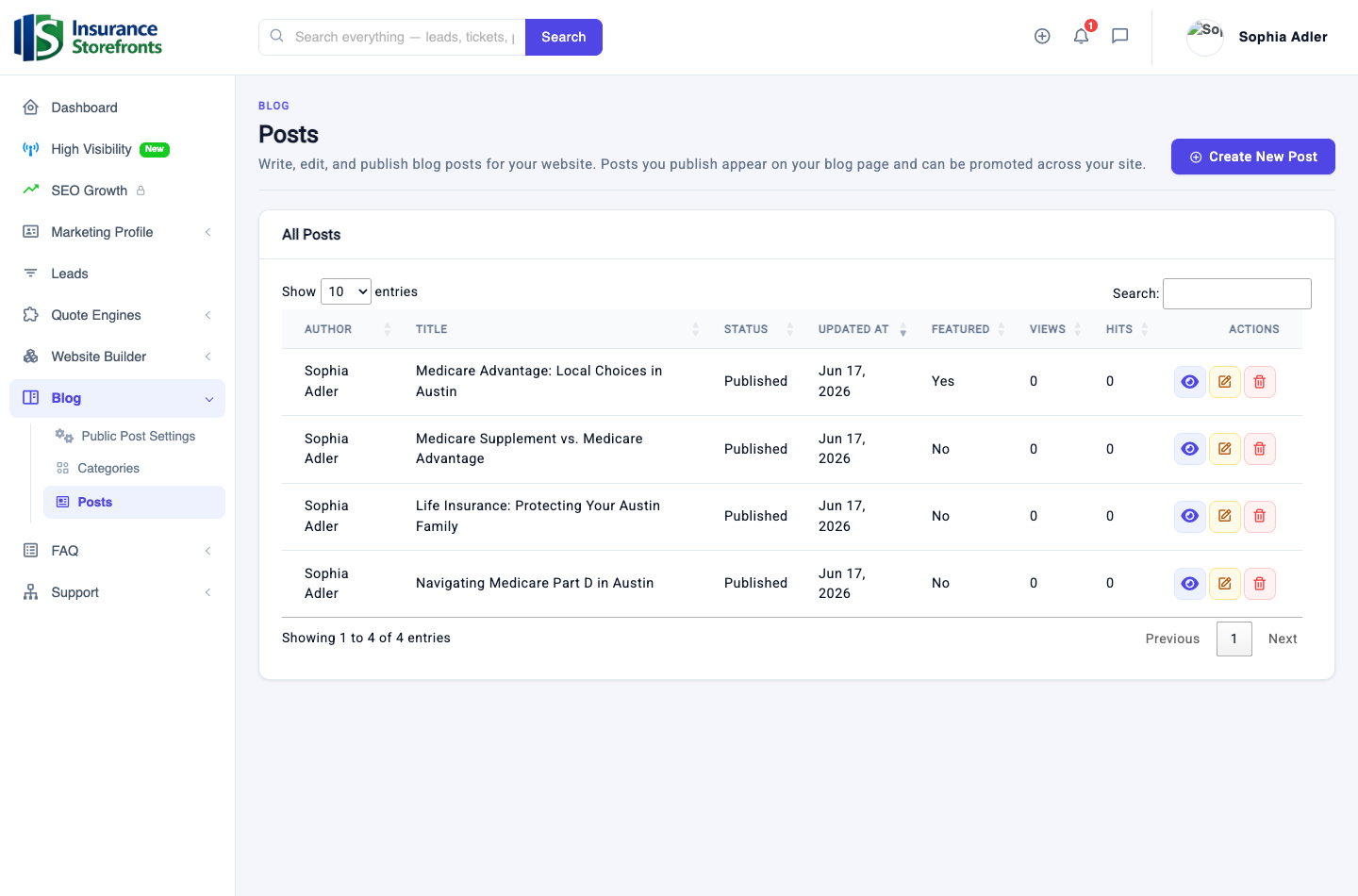
Our platform makes it simple to create and manage your blog. From your agent dashboard, navigate to Blog > Posts. Here, you'll find everything you need to write, edit, and publish your articles. Once published, your posts automatically appear on your storefront website's dedicated blog page, providing fresh content for your visitors.
For even greater visibility, you have the option to submit your posts to be featured on the main Insurance Storefronts public blog. This gives your content an extra layer of reach, exposing your expertise to a wider audience beyond your direct website traffic.
Let the AI write your first draft
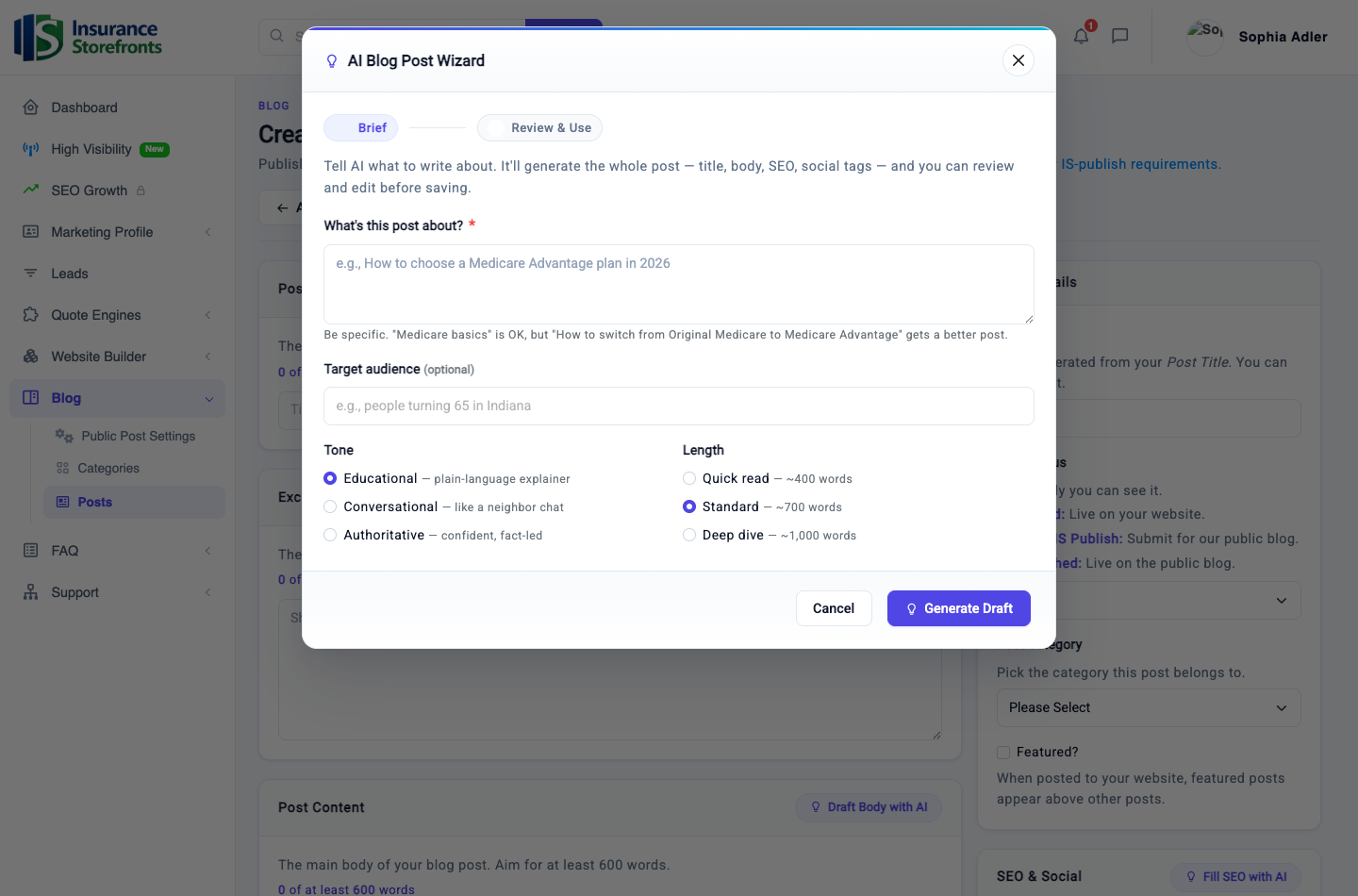
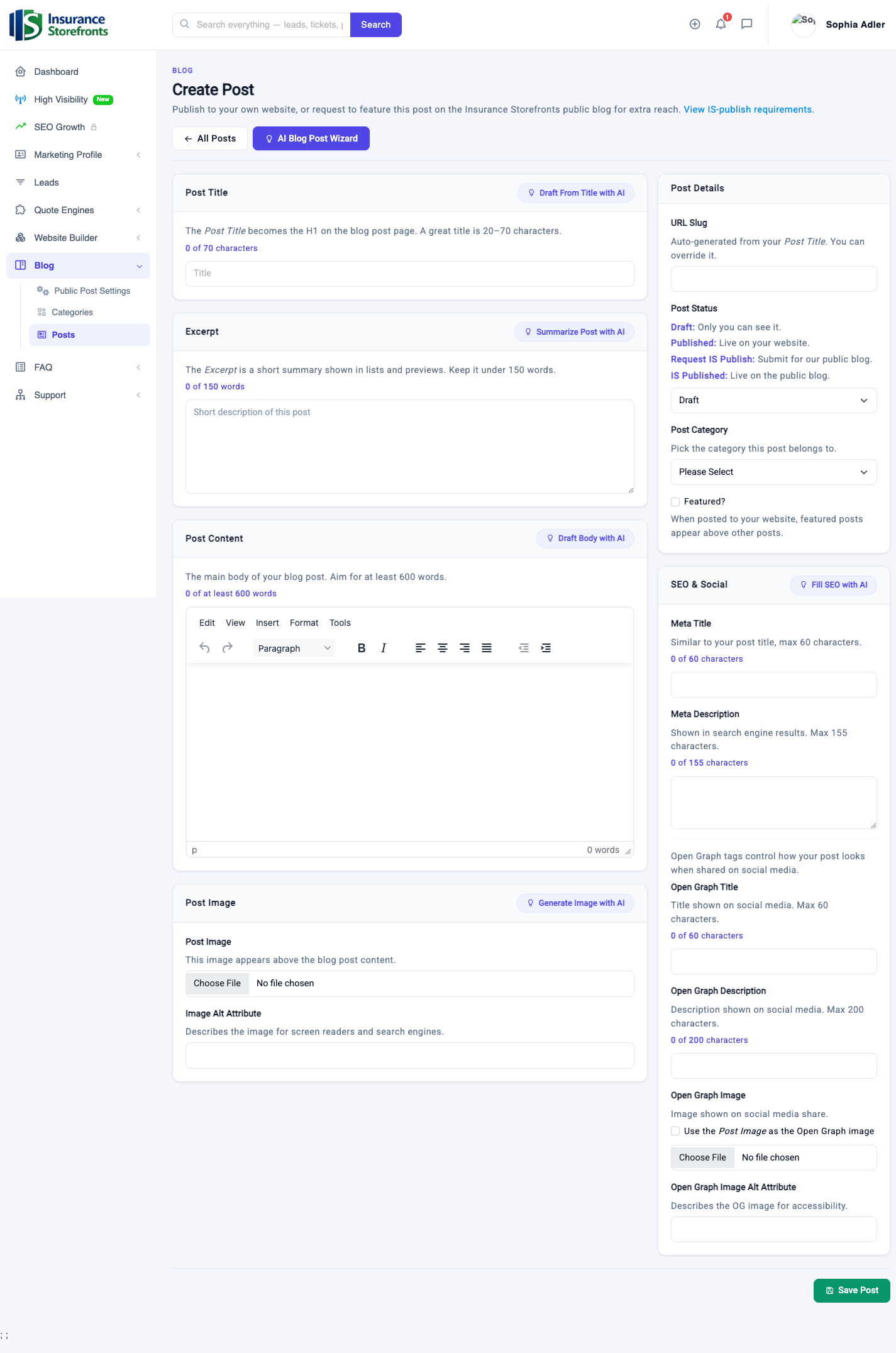
One of the most exciting features of our blogging system is the built-in AI writing assistant. It's designed to help you overcome writer's block and quickly generate high-quality content. To get started, click the "AI Blog Post Wizard" button.
Here’s how to use it effectively:
- Tell it what to write about: Be specific! Instead of "Medicare basics," try "How to switch from Original Medicare to Medicare Advantage." The more detail you provide, the better the AI's output will be.
- Add an optional target audience: You can specify who you're writing for, such as "people turning 65 in Austin."
- Pick a tone: Choose between Educational, Conversational, or Authoritative to match your desired style.
- Select a length: Opt for a Quick read (~400 words), Standard (~700 words), or a Deep dive (~1,000 words).
The AI will then generate an entire blog post for you, including a title, the main body content, an SEO meta description, and social media tags. Crucially, it writes in the first person, using your profile details – your name, location, the states you're licensed in, and the services you offer – to ensure it sounds local and authentically like you.
While the AI provides a fantastic starting point, remember that it's a first draft. Always review and edit the generated content. This is your opportunity to add your unique voice, share a real (anonymized) client story, or include specific local details that only you know. The AI can get you about 90% of the way there quickly; your personal edits make it truly yours.
Within the editor, you'll also find one-click helpers like "Draft from Title," "Draft Body with AI," "Summarize," "Fill SEO with AI," and "Generate Image with AI" for a featured image, making the editing process even smoother.
How your posts turn into traffic — and leads
Every blog post you publish on your storefront website becomes its own unique page, which search engines like Google can find and index. This means each post is a new opportunity for potential clients to discover you. People use search engines to ask questions about insurance, such as "does Medicare cover dental," "term vs whole life insurance," or "health insurance in [your city]." When your helpful, informative post answers their question, it can put you directly in front of them.
When someone clicks on your blog post in search results, they land directly on your website. This is where the magic happens: your storefront site, with its integrated quote engines and clear contact options, is designed to turn a curious reader into a valuable lead. Make sure your Marketing Profile is complete and your quote engines are live so that traffic has a clear path to conversion.
Beyond search engines, regularly publishing new content signals to search engines that your site is active and credible, potentially improving your overall search ranking. Your blog posts also provide genuine, valuable content that you can share through email newsletters and across your social media channels, further expanding your reach and demonstrating your expertise.
What to write about
The best blog posts come from real-world questions and situations. Here are some categories and ideas to get you started:
- Questions your clients actually ask: Turn those common inquiries into helpful posts. If one person asks, many others are probably searching for the same answer.
- Local angles: Pair an insurance product with your specific city or state. Examples include "Medicare Advantage options in Austin" or "Understanding health insurance in Texas."
- Seasonal and deadline posts: Capitalize on timely topics like Medicare Annual Enrollment (October 15 – December 7), ACA Open Enrollment, tax-form season (e.g., explaining Form 1095-A), or turning 65.
- Plain-English product explainers: Demystify complex topics. Write about "Medicare Advantage vs. Medicare Supplement," "Term vs. Whole Life Insurance," "What Final Expense Insurance Actually Covers," or "How an HSA Works with a High-Deductible Plan."
- Life-event posts: Connect insurance to significant life changes. Think "Insurance considerations when having a baby," "Protecting your new home with insurance," "Retirement planning and health coverage," or "Insurance for your new small business."
- Myth-busting and "how to choose" guides: Address common misconceptions or help people navigate decisions. Examples include "5 Medicare Myths Debunked" or "How to Choose the Right Auto Insurance Policy."
Your blogging checklist
Ready to publish your first post? Follow this simple checklist:
- Choose a specific, local, and helpful topic.
- Run the AI Blog Post Wizard to generate your initial draft.
- Crucially, edit the draft: Infuse your unique voice, add local details, and include any relevant (anonymized) client stories.
- Add a compelling featured image to make your post visually appealing.
- Set your SEO title and meta description to help search engines understand your content.
- End your post with a clear call to action, encouraging readers to get a quote or contact you.
- Publish your post and then share it on your social media channels and via email!
Blogging is a marathon, not a sprint. Consistency is key. By regularly sharing your knowledge, you'll build a valuable resource for your community and a powerful lead-generation tool for your business.
Ready to put these ideas to work?
Insurance Storefronts gives you the marketing profile, quote engines, AI website, and SEO tools to attract local prospects on autopilot.