A complete website, built in minutes
Building a professional website for your independent insurance agency doesn't have to be a complex, expensive project. With the Insurance Storefronts Easy Website Builder, you can create a complete, multi-page site that's ready to attract and convert clients, all without writing a single line of code or hiring a designer.
The secret? Your Insurance Storefronts Marketing Profile. The Easy Website Builder uses the information you've already provided in your profile to instantly generate a robust, personalized website. This means the more complete your profile is, the richer and more tailored your initial website will be.
Let's walk through the steps to get your professional website up and running quickly.
Step 1: Pick a design and confirm your basics
Before you start building, make sure your Marketing Profile is at least 80% complete. This is a crucial prerequisite, as a well-populated profile directly fuels the quality of your initial website. We highly recommend completing your profile to 100% first for the best results.
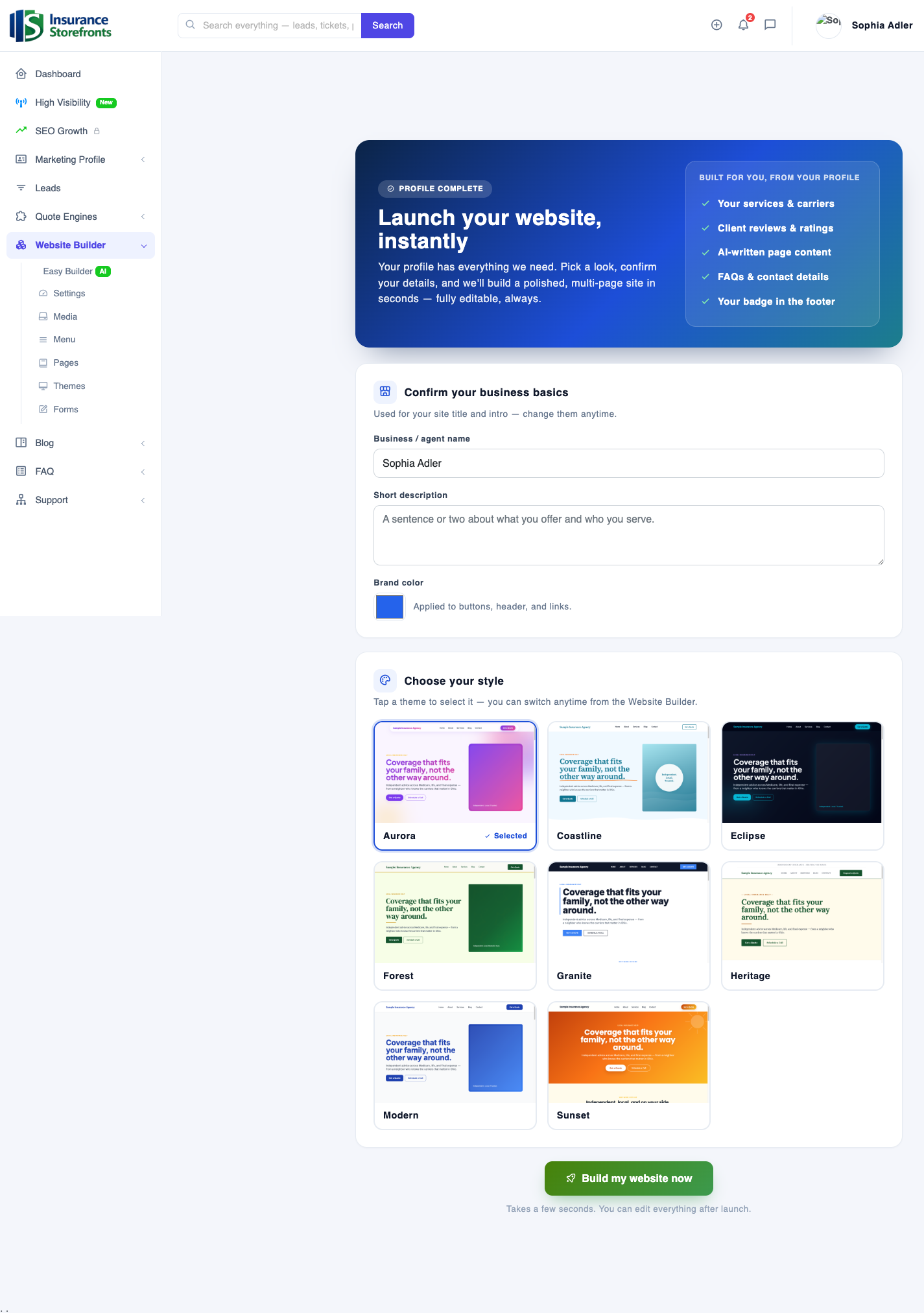
Once your profile is ready, navigate to the "Start your website" section. Here, you'll confirm a few essential business details:
- Your business or agent name.
- A short description outlining the services you offer.
- Your primary brand color.
Next, you'll choose from 8 professionally designed themes: Aurora, Coastline, Eclipse, Forest, Granite, Heritage, Modern, and Sunset. Each theme offers a distinct aesthetic, so pick one that best reflects your brand's feel and personality. Once you've made your selections, click "Build my website now."
Step 2: We build your entire site from your profile
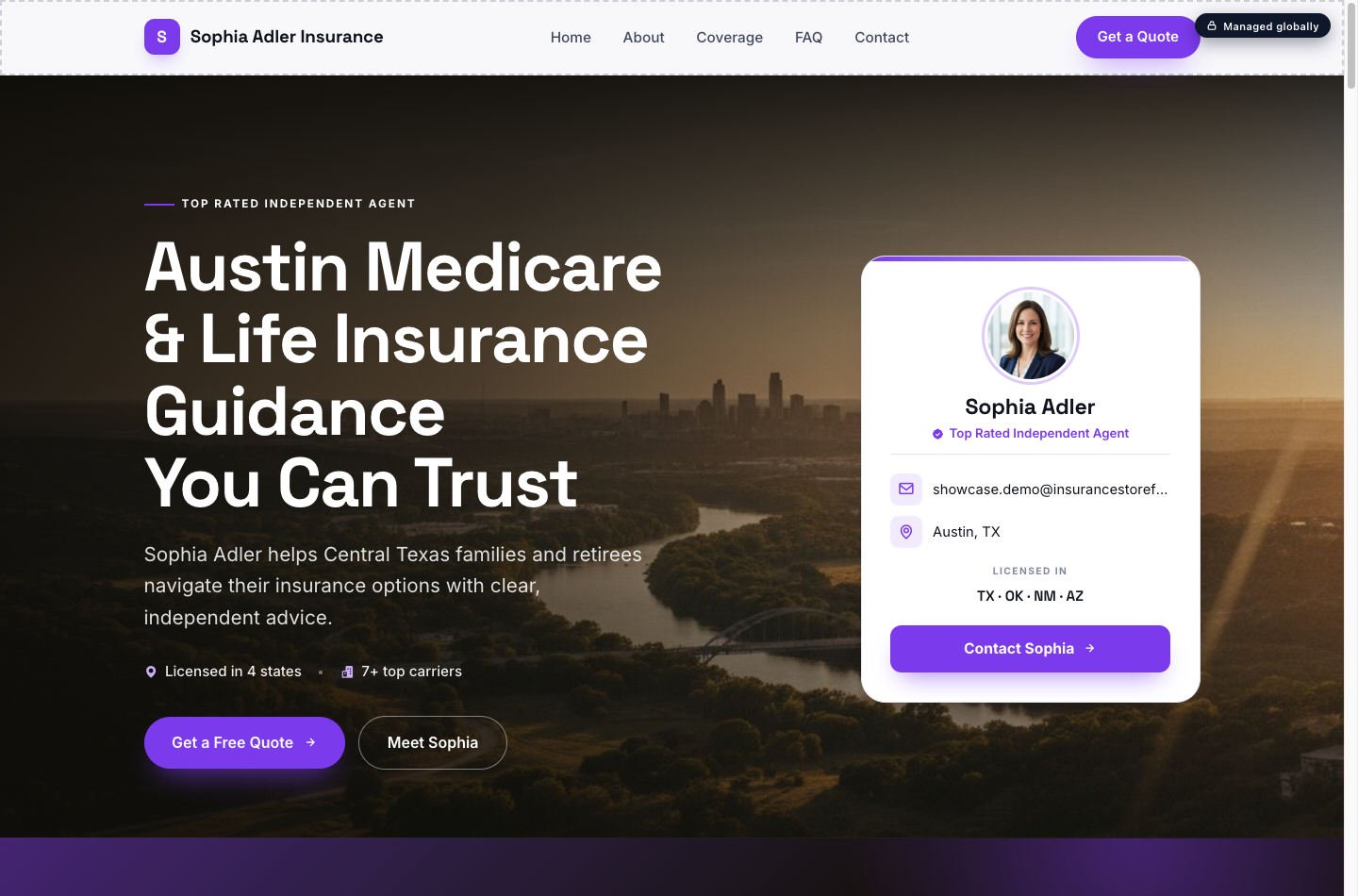
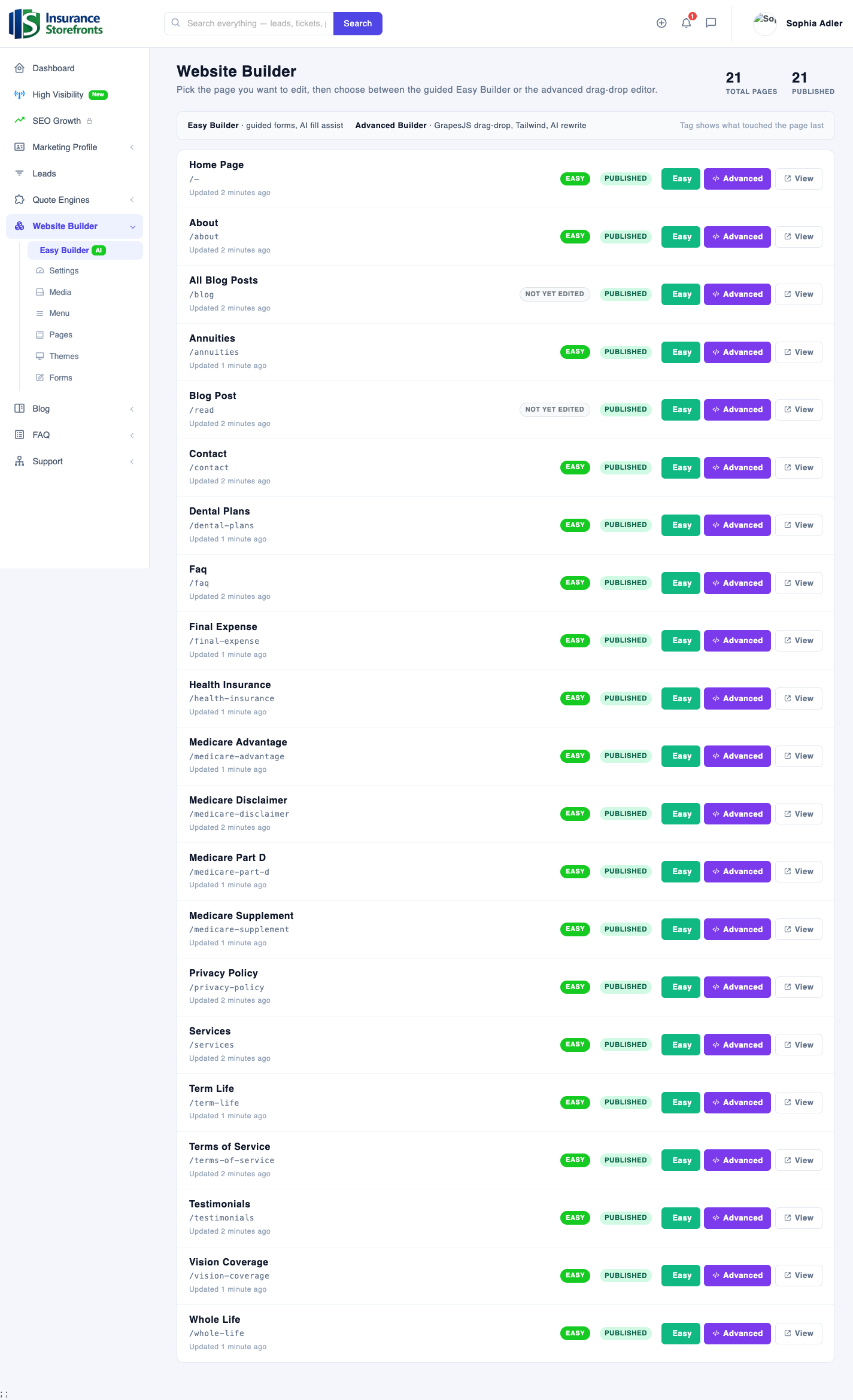
The moment you click "Build my website now," our system gets to work. In an instant, we scaffold a full, multi-page website for you – typically around 20+ pages. This isn't just a basic template; it's a comprehensive site, intelligently drawn from your Marketing Profile and polished with AI.
Your new website will include:
- A compelling Home page.
- Detailed Services pages.
- An informative About page.
- A dedicated Testimonials page.
- A helpful FAQ page.
- A clear Contact page.
- PLUS, a dedicated page for each product you sell (for example, Medicare Advantage, Medicare Supplement, Medicare Part D, Term Life, Whole Life, Final Expense, Annuities, Health Insurance, Dental, and Vision).
- Essential legal pages, including a Privacy Policy and Terms page. If you sell Medicare, a Medicare disclaimer page will also be included.
Every single one of these pages starts out published and pre-filled with content tailored from your real details, giving you a powerful head start.
Step 3: Make it yours with the Easy Builder
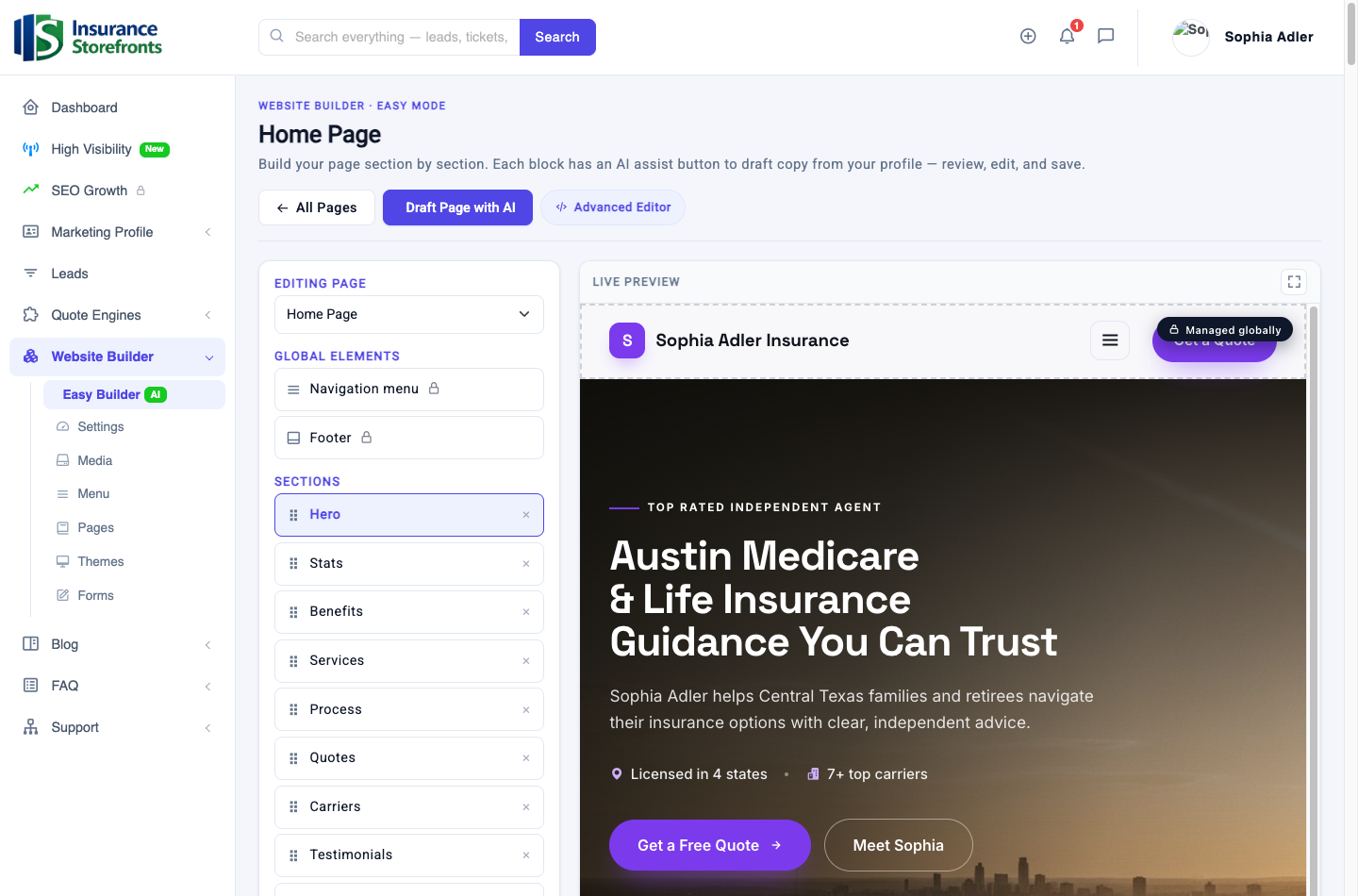
Now that your site is built, it's time to refine it and truly make it your own using the Easy Builder. This guided, section-by-section editor features a live preview right beside you, so you can see your changes instantly.
Here's how to customize your site:
- Choose any page from your site's navigation.
- Add, edit, reorder, or remove sections within that page. You'll find a variety of pre-designed sections like hero, stats, benefits, services, process, carriers, and more, all ready to be customized.
- Use "Draft Page with AI" to generate an entirely new page or refresh existing content.
- Take advantage of the per-section AI assist to write or sharpen specific pieces of copy. This powerful Gemini AI is the same technology that enhances other parts of the Insurance Storefronts platform, helping you craft compelling content quickly.
The Easy Builder is designed for simplicity and power – nothing requires code. While an optional Advanced drag-and-drop editor is available for those who desire pixel-level control, most agents find everything they need within the intuitive Easy Builder.
Step 4: Quote engines, reviews, and legal pages — already wired in
Your new website isn't just a collection of static pages; it's a dynamic, fully integrated online presence. Many crucial elements are automatically pulled from your profile and wired into your site from day one:
- Your quote engines are integrated, allowing clients to get instant quotes directly from your site.
- Your client reviews and star ratings are displayed, building trust and credibility.
- The carriers you represent are showcased.
- The languages you speak are listed.
- All your contact details flow in automatically, making it easy for prospects to reach you.
The navigation menu is built for you, ensuring a logical flow, and remains fully editable. The entire site is also mobile-ready, providing a seamless experience for visitors on any device. And importantly, your legal and disclaimer pages are included and linked, ensuring you meet compliance requirements.
Step 5: Go live
Publishing your site is the easiest step of all. There's nothing to deploy or complicated settings to manage. Your site publishes instantly to your Insurance Storefronts storefront the moment you save your changes.
When you're ready, you can easily connect your own custom domain, giving your agency a professional and memorable web address. The best part? Everything remains editable anytime. Change a section, save, and your updates are live immediately. You have full control to keep your content fresh and relevant.
Your complete-website checklist
To ensure you launch a truly complete and effective website, follow this checklist:
- Complete your Marketing Profile to at least 80% (ideally 100%) before starting your site.
- Pick a theme and confirm your basic business details on the "Start your website" screen.
- Review all the auto-built pages to ensure the content accurately reflects your services.
- Customize your Home page and top product pages using the Easy Builder and AI assist, adding your unique voice and local details.
- Confirm your quote engines and contact details appear correctly and are easily accessible.
- Connect a custom domain when you're ready for a personalized web address.
- Publish your site and enjoy your new online presence!
With these steps, you'll have a powerful, professional website that works for your agency, helping you connect with more clients and grow your business.
Ready to put these ideas to work?
Insurance Storefronts gives you the marketing profile, quote engines, AI website, and SEO tools to attract local prospects on autopilot.